A carousel maker built for app marketing
Part of: Instagram marketing for indie apps
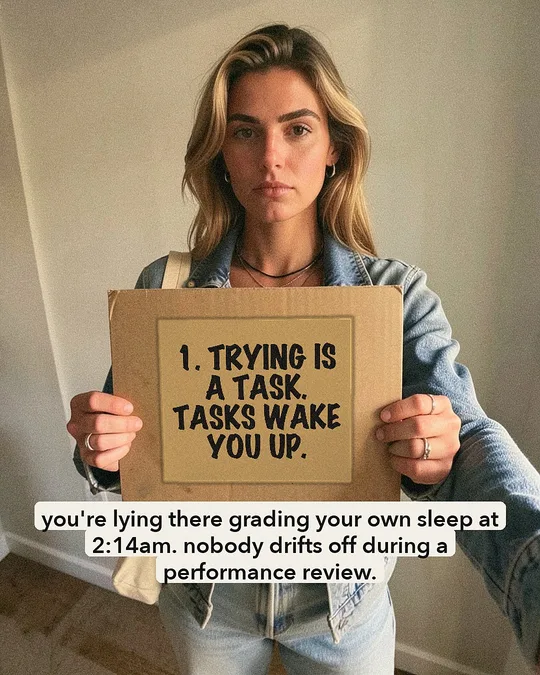
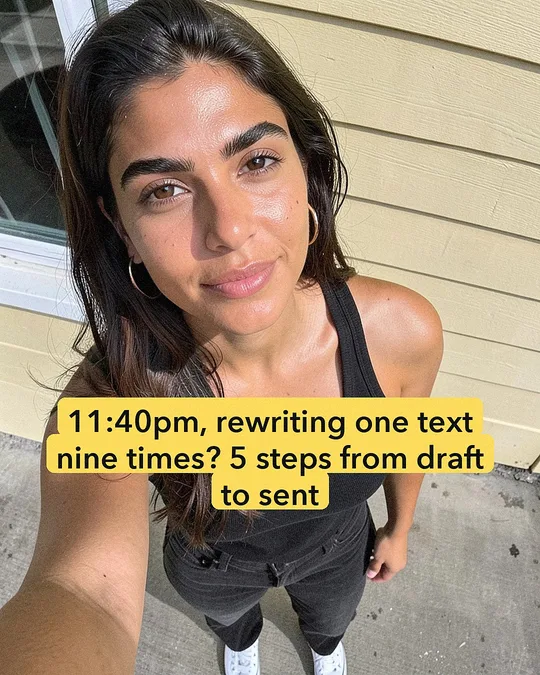
Slide-Easy makes Instagram carousels for your app: slide one is a hook written from your real reviews, the middle slides tell the story, and the last slide shows your app's real screens. Choose from 50+ templates, including signs, phone screens, paper notes and social-post styles, all rendered on your Mac.
What makes an app carousel work?
- Hook: the moment the problem hurts, in your users' words. It has to stop the scroll in under a second.
- Tension: a few slides that make the moment worse, or funnier.
- Turn: the slide where it gets better.
- Your app: the last slide, as the punchline, with its real screens.
The app comes in last on purpose. A carousel that opens with your logo reads as an ad and gets scrolled past. Where hooks come from: turn your reviews into posts.
Which templates are there?
More than 50, in four families: signs, phone screens, paper notes and social-post styles such as caption boxes over a selfie. Every word on a template stays editable in Compose, slide by slide.

What goes on the last slide?
Slide-Easy draws the closing slide in the post's own look, from what your app already has:
- your app's real store screenshots in a phone,
- a before-and-after,
- a real 4- or 5-star review, shown as a review with its stars and the reviewer's name,
- or your icon and name with where to get it.
What sizes does it make?
| Output | Size | Notes |
|---|---|---|
| Carousel slide | 1080×1350 (4:5) | Instagram's portrait feed shape |
| Reel or story | 1080×1920 (9:16) | Voiced videos and stories |
| Every file | — | Marked as AI-made in its IPTC/XMP metadata |
Save a carousel and its slides and caption land in Downloads, ready to post by hand. Or connect your account and it posts after your OK.
Canva, SCRL or Slide-Easy?
If you want to hand-design one carousel with full control, or you're on Windows, a general design tool such as Canva or SCRL is the better choice. Slide-Easy is for a different job: it writes and renders a week of carousels for your app from your reviews, checks each one, and posts the ones you approve. You edit only when you want to.
What does it cost, and what does it need?
Your first 7 posts are free. Then it's $49 once for unlimited posts and apps on up to 2 Macs, with a full refund within 14 days. It needs an Apple Silicon Mac (M1 or newer), macOS 15 or later, 16 GB of memory and about 14 GB of free disk. A finished post takes about 3 minutes on an M4 Pro.
Carousel maker FAQ
Can I edit the slides?
Yes. Every word on a template stays editable in Compose, slide by slide, and you can ask for another line before you approve a post.
Does it use my app's real screenshots?
Yes. The closing slide can show your app's real store screenshots in a phone, drawn in the post's own look.
Can I post the carousels myself?
Yes. Save a post and its slides and caption land in Downloads. Post it from the Instagram app, turn on Instagram's AI label, and tap Mark posted.