Turn your App Store reviews into Instagram posts
Part of: Instagram marketing for indie apps
Your reviews already say, in your users' words, what problem your app solves. Turn those words into a hook (the moment the problem hurts), show it, then end on the screen that fixes it. Don't paste reviews as fake quotes from a person: show real reviews as reviews, and write hooks from them.
Why do reviews beat feature lists?
A feature list describes your app in your words. A review describes the problem in your users' words, often down to the hour it hurts. People scroll past features; they stop for a moment they've lived. That's why the strongest first slides read like a confession, not a pitch.
How do you do it by hand?
- Read your recent reviews, including the 3-star ones. They name the problem most plainly.
- Cut each review where it starts talking about your app. What comes before is the problem in their words, still verbatim. What comes after is praise, and hooks grown from praise sound like ads.
- Group the cuts into pains. The same few moments come up again and again.
- Write one line per pain: the moment, not the feature. Lowercase, specific, with a time or a number if the review has one.
- Pick a format. A carousel tells the story: hook, tension, the turn, your app. A Reel shows one moment.
- End on the screen that fixes it, or on a real review shown as a review.
No reviews yet? Use what people say about the problem elsewhere: Reddit threads, forums and reviews of competing apps.
What must you never do?
- Present an AI character, or anyone, as a customer who "used the app and loved it". The FTC's rule on consumer reviews and testimonials (16 CFR Part 465) bans fake testimonials, AI-made ones included, and EU consumer law bans posing as a consumer.
- Put a real review in a character's mouth. Show it as what it is: the exact words, the reviewer's store name and the stars.
- Edit a review to say more than it did.
The responsible-use page has the rules by country.
What does it look like?
Four first slides Slide-Easy made, each from a pain users describe, for four kinds of app:

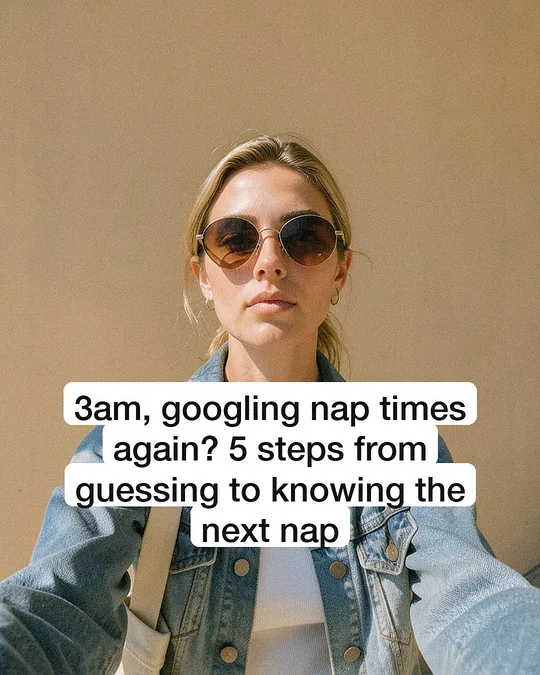
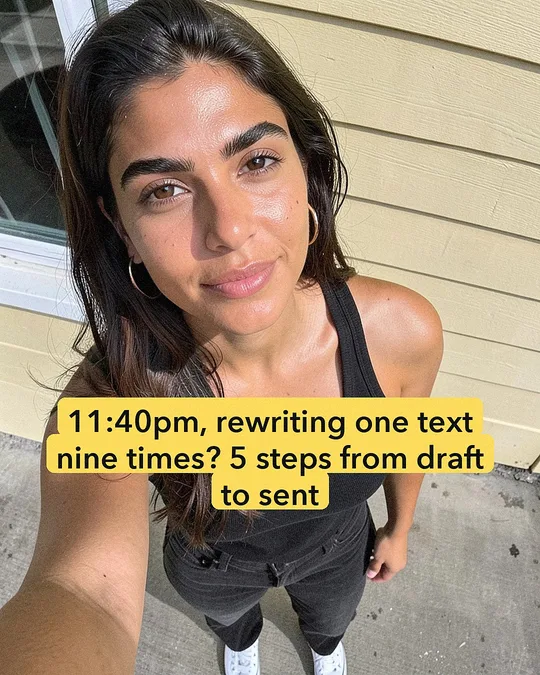

The people are AI characters, and each post is labeled as AI. None of them claims to be a user: they act out the problem, and the last slide brings in the app.
How does Slide-Easy do it automatically?
- Reading: paste an App Store link and it reads up to 3 pages of the most recent reviews from Apple's public feed. For a Google Play app or a website, or when there are fewer than 8 reviews, it gathers what people say about the problem from the web instead, which works best with Claude or ChatGPT as the writer.
- Cutting: it keeps each review up to the sentence that brings in the app, so hooks grow from the problem, not the praise.
- Writing: it writes a week of hooks and posts, and a strict critic scores each one; weak ones are rewritten before you see them.
- Closing: the last slide shows your app's real screens, a before-and-after, your icon, or a real 4- or 5-star review with its stars and the reviewer's name, picked to match the post's words.
- Staying fresh: each week it re-reads your newest reviews and writes new lines from them.
Next: the carousel templates, or the bigger picture in Instagram marketing for indie apps.
Reviews to posts FAQ
Can I show App Store reviews in Instagram posts?
Yes, as what they are: the exact words, the reviewer's store name and the stars, without editing the meaning. Don't put a real review in an AI character's mouth or present it as a quote from someone in the post.
Is it a fake testimonial if an AI character acts out a problem from a review?
Not if the character only shows the problem and never claims to be a customer. A character saying "I used this app and it changed my life" is a fake testimonial; a character living the 3am moment, with the post labeled as AI, isn't.
What if my app has few reviews?
Use what people say about the problem elsewhere: Reddit threads, forums and reviews of competing apps. Slide-Easy does this when Apple's feed has fewer than 8 reviews, or when you paste a Google Play or website link.